
Biometric entry, installed at your gym. Linked to every membership.
Installation partners mount the readers on site. Gymsly opens the door only for active, paid members, fingerprint, face, RFID, PIN, and built-in Bluetooth on the same membership record.
Installation partners come to the gym, worldwide.
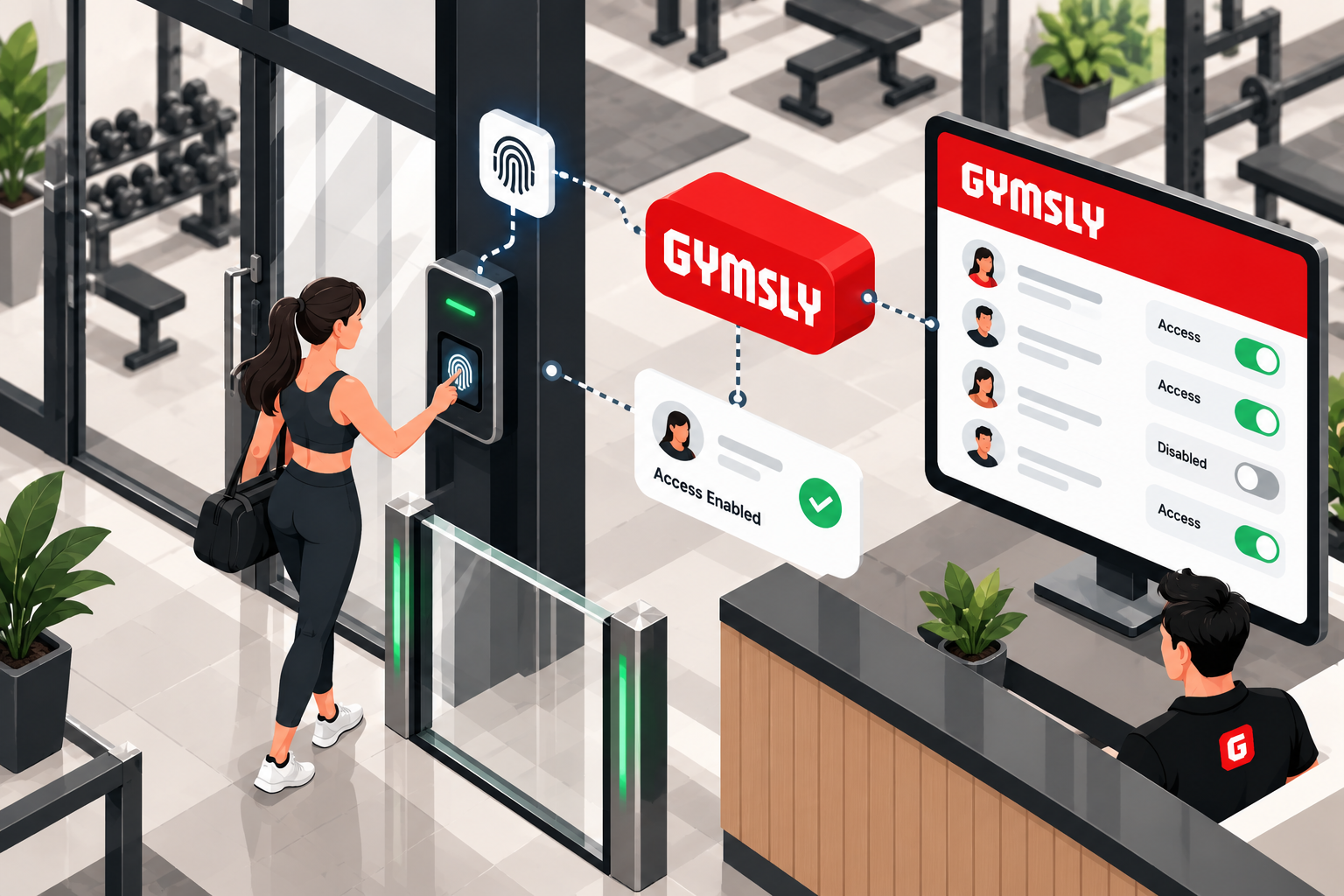
Biometric hardware on site. Membership in Gymsly.
Four things that stay true after the partner leaves the gym.
Installed and linked
Partners mount the readers and enroll them into Gymsly. The door follows the same membership that bills the member.
On-premise, worldwide
A local installation partner comes to the gym. Hardware goes on the wall where members actually walk in.
Hassle-free after go-live
Expired, frozen, or unpaid accounts are denied from the membership record. Payment clears, access returns.
Hardware gyms already buy
ZKTeco, Suprema, and standard Wiegand-compatible readers, plus Gymsly Bluetooth door access.
From floor plan to Access Enabled
A partner installs gym access control on premise. Gymsly links every biometric reader to the member.
Step 1
Tell us the doors
Share the floor plan, which membership plans get which hours, and any readers already on the wall.
Step 2
Partner installs on site
A partner surveys the gym and installs fingerprint or face terminals, RFID, PIN, turnstiles or barriers, plus cabling and power.
Step 3
Devices enroll into Gymsly
Each reader is linked to the member record so Access Enabled is a membership status, not a second list.
Step 4
Membership runs the door
Active memberships enter. Expired, frozen, or unpaid accounts are denied. Payment clears, access returns. Staff can still override from the dashboard.
One hub. The door and the desk.
The reader, the Gymsly membership record, and the front-desk view stay on the same gym access control system.
Access Enabled or disabled
The same membership status staff see in Gymsly is what the reader allows or denies.
Who is inside
Front desk sees live activity from the door, without a separate attendance tool.
Every entry is a check-in
Door events land on the member profile and flow into attendance and analytics.
Lost card or badge
Disable it remotely from the dashboard. No electrician and no site visit.
Hours per plan
24/7, business hours, off-peak, or trial windows, applied at the reader.
Every door, every location
Main entrance, studios, lockers, and staff areas stay on one Gymsly record.
Readers gyms already put on the wall
We link ZKTeco, Suprema, and standard Wiegand-compatible readers. If a reader is already installed, the installation call confirms whether it can be linked.
Fingerprint
Fingerprint terminals enrolled to the member, so a print is membership, not a guest pass.
Face
Face readers at the door, linked to the same Gymsly profile that holds billing status.
RFID card
Cards and fobs that unlock only while the membership is active and paid.
PIN
Keypads for plans and staff zones where a code is the right fit.
Turnstiles and barriers
Entry hardware at the lobby, tied to the same allow and deny rules as the readers.
Built-in Bluetooth
Gymsly Bluetooth door access, with no third-party access vendor required.
You run the gym. We put access on the door.
A short split of work so the site visit is the last heavy lift.
You
- Floor plan and which doors members use
- Which plans get which hours
- Any readers already on the wall
- A staff contact for the site visit
Partner and Gymsly
- On-site survey, mounting, cabling, and power
- Enrollment of each device into Gymsly
- An allow-and-deny test before handoff
- Membership rules, logs, and remote disable in Gymsly
The door follows membership
Gym access control rules live in Gymsly. Failed payments, freezes, and expiries deny entry from the same record that bills the member.
Membership-gated access
Doors unlock only for members with active, paid memberships. Frozen or expired accounts are denied at the reader.
Time-restricted access rules
Set access hours per plan, 24/7 for premium members, business hours for basic plans, staff-only zones after close.
Entry logs & audit trail
Every entry and denial is logged with timestamp, member, and reason. A full trail for security and compliance.
Multi-door & multi-location
Main entrance, studio doors, locker rooms, and staff areas, across every location, on one Gymsly record.
Remote door override
Grant temporary access, disable a lost card, or lock down a location from the Gymsly dashboard.
Grace period on failed payments
Access follows the grace-period you set. When payment clears, access returns without a site visit.
Gym access control questions, answered
Biometric installation, RFID and turnstile hardware, and what happens after a payment fails.
Connected gym management modules
Every Gymsly module shares data, no integrations to configure.

Run your fitness business from one dashboard
Start your 14-day free trial today. No credit card, no setup fees, then a 30-day money-back guarantee.
Cancel anytime · Your data, always exportable · 30-day money-back guarantee